build.prop editing on motoG falcon with CM13 MM
Ноябрь 20, 2015
This video is going to show you how to pull your build.prop from device
and edit then put it back to /system partition with right permissions.
Make sure you have the right drivers for your device installed!!!
I assume you know how to use ADB & FASTBOOT!!
Here some links to learn more about it:
http://forum.xda-developers.com/showthread.php?t=2277112
http://lifehacker.com/the-easiest-way-to-install-androids-adb-and-fastboot-to-1586992378
Well, google and youtube are always a great friend to learn from!!
Here the zip file containing the file needed: http://1drv.ms/1NGG4b2
______________________________________________________________________
commands:
#pilling file from device
adb root
adb remount
adb pull /system/build.prop
#Uploading back
adb push build.prop /system/build.prop
adb shell chmod 644 /system/build.prop
adb reboot
__________________________________________________________________________
Have a nice day!
40 2
5,525 просмотров

how to use adb pull command to copy file from android system to local system
how to use adb pull command to copy file from android system to local system
86 55

Edit Build.prop without root to enable Cast Screen/ScreenCast
How to Edit Buid.Prop file without rooting your device?
1. Most of the build.prop edit requires rooting the device. Here we will see how to edit the build.prop file via a computer with no root.
2. This video describes editing build.prop settings to enable Cast Screen / Screen Cast in Moto G series mobile.
1. Minimal Adb and fastboot can be downloaded from :
https://androidmtk.com/download-minimal-adb-and-fastboot-tool
2.Notepad software can be downloaded from :
https://notepad-plus-plus.org/
3. TWRP img for Moto G Turbo can be downloaded from :
https://forum.xda-developers.com/devdb/project/dl/?id=16256
261 45

How to Copy Files Over to your Android In a Bootloop with No OS using ADB!
Here's how to recover your rooted Android smartphone or tablet in a bootloop with no OS installed. By using ADB, you will be able to copy files over in CWM or TWRP recovery.
Download and Step-by-Step tutorial here:
http://highonandroid.com/android-roms/how-to-copy-files-over-to-your-android-in-a-bootloop-with-no-os-using-adb/
Music Credits:
Dub Zap from YouTube Audio Library.
—————————————————————-
Need help?
Best way to contact me is on Twitter as I am always tweeting 24/7:
http://Twitter.com/zedomax
Follow me on Google Plus here:
https://plus.google.com/ MaxLee
Follow me on My Facebook Page:
https://www.facebook.com/howtoblog
—————————————————————-
Wanna get really High on Android?
Grab High On Android T-shirts here:
http://store.highonandroid.com/
Also Subscribe to CooLoserTech's channel here if you want cool Android app reviews:
https://www.youtube.com/user/CooLoserTech?sub_confirmation=1
4960 259

Access Root folder without Rooting 2018
Here is link for ac market
http://acmarket.net
Subscribe for more!!!😉
852 370

Adb command (root) working 100% successfully
Adb command root working 100% successfully for micromax a 54 (rooted ) the software which i was using is this
like my facebook page @rootand
or Root Android
the app which I have used is this
https://www.dropbox.com/s/pgmq8afe24gl4p4/ADB Control_1.1.1.apk?dl=0
and the command prompt is this
https://www.dropbox.com/s/aqwijd14ok9gw2d/minimal_adb_fastboot_v1.4_setup.exe?dl=0
like share subscribe
Thank you & see you in next video
1 1
How to build your own custom Android ROM - Gary Explains!
Since all the source code is available for Android you can build your own personalized custom Android ROM.
Get 75% off our official Android Development Course run by Gary Sims himself: http://dgit.academy/75off
Article: https://www.androidauthority.com/build-custom-android-rom-720453/
Music by Jeff Kaale — https://soundcloud.com/jeff-kaale
Download the AndroidAuthority App: https://play.google.com/store/apps/details?id=com.androidauthority.app
Subscribe to our YouTube channel: http://www.youtube.com/subscription_center?add_user=androidauthority
——————————————————————————
Stay connected to Android Authority: — http://www.androidauthority.com — http://google.com/ androidauthority — http://facebook.com/androidauthority/ — http://twitter.com/androidauth/ — http://instagram.com/androidauthority/
Follow the Team:
Josh Vergara: https://plus.google.com/ JoshuaVergara
Joe Hindy: https://plus.google.com/ JosephHindy
Lanh Nguyen: https://plus.google.com/ LanhNguyenFilms
Jayce Broda: https://plus.google.com/ JayceBroda
Gary Sims: https://plus.google.com/ GarySims
Kris Carlon: http://plus.google.com/ KrisCarlon
Nirave Gondhia: http://plus.google.com/ NiraveG
John Velasco: http://plus.google.com/ JohnVelasco
Bailey Stein: http://plus.google.com/ BaileyStein1
6201 158
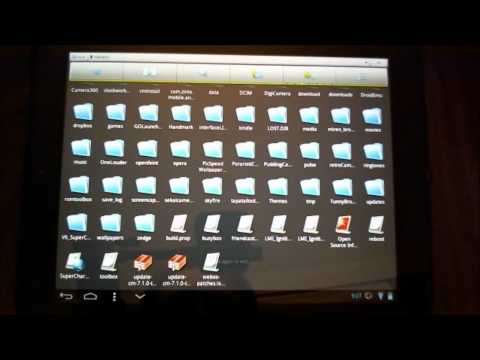
How to Edit the Build.prop File in Android
I am demonstrating how to edit your build.prop file to allow games that claim to be "NOT COMPATIBLE WITH YOUR DEVICE" to run with no problems.
I am showing the basic steps to change the model/brand of the device. This should work for ALL Android phones, assuming that you are rooted. The app I am using is called ES File Explorer and it is free on the Android Market.
There are other build.prop edits that can be made for other purposes, but I recommend doing research before attempting anything other than what I have shown you.
Here is a link to the Live Wallpaper that I am running, called "Steampunk Skull Free Wallpaper":
https://market.android.com/details?id=com.ratana.jazzcat.steampunkskullfree
Follow me on Twitter at:
http://www.twitter.com/reverendkjr
and on Facebook at:
http://www.facebook.com/pages/REV-TV-HP-Touchpad-Android-Videos/319029134779078
373 44
![[Fixed] Enable Write Access Permission In Android Device Without Root | TecHelper](https://i.ytimg.com/vi/DamMdkeCwMQ/hqdefault.jpg)
[Fixed] Enable Write Access Permission In Android Device Without Root | TecHelper
hello everyone, welcome to Tec-Helper
in this video, I'll show you how to enable Write access permission on Android devices. in this process, you don't have to do root your android device.
SUBSCRIBE AND GET NEW VIDEO UPDATES FOR FREE ▶ http://bit.ly/techelper
before going into video, take a moment and subscribe our channel and then click that bell icon so you don't miss another update video from us.
a few weeks back I uploaded the video to this issue. some of my viewers asked me that it need root permission to this process. the answer is NO.
for demonstration purpose im showing that my phone is not Rooted. for this process, you need to download and install FX explorer from google play store.
Fx File Explorer : https://goo.gl/Ndd3fa
next, open the FX explorer app and open Memory card. after that click on 3 dot's button presented at top right corner. choose "Enable Write access" from that menu options.
sometimes you'll get an error. to solve this just enable documents app presented in all apps section.
open settings, and then open all app. in this list find the app named "Documents"
click on that app and click on "enable".
return to Fx explorer app. continue the process. open the memory card and click 3 dots button then choose "enable Write access"
it will ask you permission. choose "Allow". and then click the right arrow. that's it!
I hope this video helpful. if you guys have any doubt then feel free to ask me in the comment section below. and don't forget to Like and share this video.
SUBSCRIBE AND GET NEW VIDEO UPDATES FOR FREE ▶ http://bit.ly/techelper
➖➖➖➖➖➖➖➖➖➖➖➖➖➖➖➖➖➖➖➖➖
🔵Youtube: http://youtube.com/c/techelperin
🔴Facebook: http://facebook.com/techelperIn
🔵twitter : https://twitter.com/techelperin
🔴google plus : https://plus.google.com/techelperin
◀◀supporters▶▶
🔶youtube: https://www.youtube.com/jayaprakashmudaliar
🔷facebook: https://www.facebook.com/jayaprakashmudaliar
🔶twitter: https://twitter.com/jaya_mudaliar
🔷google plus : https://plus.google.com/ jayaprakashmudaliar
➖➖➖➖➖➖➖➖➖➖➖➖➖➖➖➖➖➖➖➖➖
Can't move files from internal storage to SD card [FIXED] | Techelper
458 216
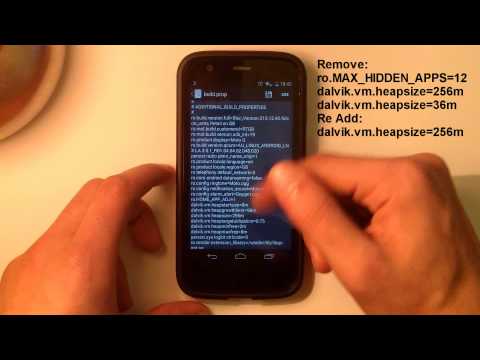
Moto G: How To Improve Performance!!! *ROOT*
http://www.fire-flex.co.uk/
Rom ToolBox Pro APK: http://bit.ly/1B3w8o9
========================================
Min Free Values:
Foreground = 6mb
Visible App = 8mb
Secondary Server = 16mb
Hidden Application = 32Mb
Content Provider = 64mb
Empty App = 96Mb
========================================
Build.Prop
Remove: ro.MAX_HIDDEN_APPS=12
Remove both: dalvik.vm.heapsize=256m dalvik.vm.heapsize=36m
Add: dalvik.vm.heapsize=256
Add: ro.HOME_APP_ADJ=1
========================================
*System wont boot?*
1: Download your specific Firmware
2: Extract System Chunks 0, 1 and 2
3: Place in ADB folder
4: Download Flash.bat (http://bit.ly/1C7PWbC)
5: Place it in ADB too
Then just flash it and all is good :)
Thanks to XDA user: Jorge_007
31 3

Fix "YOUR DEVICE ISN'T COMPATIBLE WITH THIS VERSION"
Edit The Build.prop and reboot(restart your device)
Everything else In the Video
1222 337
