Android 4.4 KitKat on Samsung Galaxy Grand
Декабрь 11, 2013
All Credits Goes to XDA Developer Pawitp for this Awesome Rom (works on both i9082 & i9082L)
Original Forum Link — http://tinyurl.com/kcyloy5
SELinux Recovery — http://tinyurl.com/ncumlsc
Rom — http://tinyurl.com/l636otr
Gapps — http://forum.xda-developers.com/showthread.php?t=2397942
This is Cyanogenmod 11 or Android 4.4.1 KitKat on Samsung Galaxy Grand Duos
DUAL SIM & FM RADIO DOESNT WORK
This is a Custom Rom so to Install u need to be Rooted and u should be on 4.2.2
Instructions of installation —
Download the Recovery SELinus, Rom and Gapps
Flash SeLinus tar file via ODIN 3.04 (mount as PDA)
open CWM Recovery and Do a Wipe Data Factory Reset & Wipe Cache
Flash Cm11 Rom & Gapps zip
Reboot
Enjoy
I will make a Installation Guide video of this Rom pretty soon...
If u Like this video then Plz click the LIKE button and Subscribe
— Anindya
650 111
206,506 просмотров

How to Upgrade Samsung Galaxy Grand to Android 4.4 KitKat
How to Upgrade Samsung Galaxy Grand to Android 4.4 KitKat cyanogenmod 11/12.
UPDATES:
Android 6.0 Marshmallow For Samsung Galaxy Grand
Please Visit For Download Marshmallow
Link : http://softwarenewupdate.blogspot.in/
How To Install Marshmallow On Galaxy Grand
Video Link : https://www.youtube.com/watch?v=SRmF2AkfHXw
(As Like Lollipop Installation )
DOWNLOAD ROM/GAPPS
http://softwarenewupdate.blogspot.in/
UPDATES 22-07-2015: Lollipop 5.1.1
PLEASE VISIT: http://softwarenewupdate.blogspot.in/
UPDATED 15-01-2015
PLEASE VISIT : http://softwarenewupdate.blogspot.in/
VIDEO LINK: https://www.youtube.com/watch?v=caCakSMTYR4
DOWNLOAD ROM AND GAPPS
WEBSITELINK: http://softwarenewupdate.blogspot.in/
LOLLIPOP FOR SAMSUNG GALAXY GRAND 2 SM-G7102
PLEASE VISIT : http://www.androidvevo.com/2014/11/android-5-0-lollipop-for-galaxy-grand2-sm-g7102/
544 93
How to: Install Android KitKat 4.4.4 Samsung Galaxy Grand Duos Dual Sim working
This video shows how to Upgrade your Samsung Galaxy Grand Duos tp Kit Kat 4.4.4 Please proceed at your own risk after watching the video repeatedly until you are 200% sure.
At first copy the Custom ROM and the Gapps link to your external SD card. Then the flash of CWM will be done via Odin with the Recovery file.
Rest you follow the video minutely and do all the steps.
Custom ROM: https://androidfilehost.com/?fid=23329332407585806
Gapps Link: http://downloads.ziddu.com/download/23816615/gapps-kk-201404-signed.zip.html
Odin- http://downloads.ziddu.com/download/23814899/Odin307.rar.html
Cwm Recovery- http://downloads.ziddu.com/download/23814916/CWM-touch_i9082_chotu.tar.rar.html
Please like my video and subscribe to my Youtube Channel for more Interesting updates soon.
Also to enable Dual Sim on your phone please follow this video.
https://www.youtube.com/watch?v=J0_kEMReWCQ&feature=em-upload_owner
818 73

How to Install Android 4.4 on Samsung Galaxy Grand
Installation Guide for CyanogenMod 11 on Samsung Galaxy Grand
ROM Review — https://www.youtube.com/watch?v=2PHtUbAuKZ4
Recovery and Odin 3.04 — http://tinyurl.com/pofc5fk
CM 11 — http://tinyurl.com/l636otr
Gapps — http://forum.xda-developers.com/showthread.php?t=2397942
If u like this video then please press the like button and also subscribe.
— Anindya
457 41

How to Upgrade Samsung Galaxy Grand to Lollipop Android 5.0
How to Upgrade Samsung Galaxy Grand to Lollipop Android 5.0
Android 6.0 Marshmallow For Samsung Galaxy Grand
Please Visit For Download Marshmallow
Link : http://softwarenewupdate.blogspot.in/
How To Install Marshmallow On Galaxy Grand
Video Link : https://www.youtube.com/watch?v=SRmF2AkfHXw
As Like Lollipop Installation
Android Lollipop 5.1.1 For Samsung Galaxy Grand
DOWNLOAD ROM/GAPPS
http://softwarenewupdate.blogspot.in/
UPDATES 22-07-2015: Lollipop 5.1.1
PLEASE VISIT: http://softwarenewupdate.blogspot.in/
UPDATED 15-01-2015
PLEASE VISIT : http://softwarenewupdate.blogspot.in/
FOR SAMSUNG GALAXY GRAND 2
PLEASE VISIT :http://softwarenewupdate.blogspot.in/
3581 439
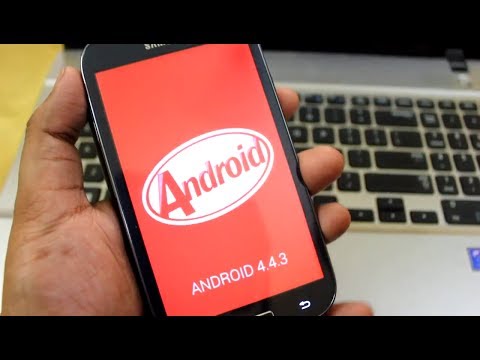
How to Install Android 4.4.3 on Galaxy Grand i9082
All Credits Goes to XDA Developer Pawitp for this Awesome Rom (works on both i9082 & i9082L)
Original Forum Link — http://tinyurl.com/kcyloy5
Cm11 Android 4.4.3 Link — http://d-h.st/CyI
Gapps — http://wiki.cyanogenmod.org/w/Gapps
SeLinux Supported Cwm — http://goo.im/devs/pawitp/i9082_cm11.0/recovery_20131210.tar (Flash it via odin if u dont have selinux supported cwm)
This is Cyanogenmod 11 based on Android 4.4.3 KitKat on Samsung Galaxy Grand Duos i9082
DUAL SIM WORKS
This is a Custom Rom so to Install u need to be Rooted
Instructions of installation —
Download the Recovery SELinus, Rom and Gapps
Flash SeLinus tar file via ODIN 3.04 (mount as PDA)
open CWM Recovery and Do a Wipe Data Factory Reset & Wipe Cache
Flash Cm11 Rom & Gapps zip
Reboot
Enjoy
If u Like this video then Plz click the LIKE button and Subscribe
— Anindya
507 45

SlimKat 4.4.2 KITKAT ROM ON Samsung Galaxy Grand
Android SlimKat 4.4.2 KITKAT ROM ON Samsung Galaxy Grand
UPDATES:
Android 6.0 Marshmallow For Samsung Galaxy Grand
Please Visit For Download Marshmallow
Link : http://softwarenewupdate.blogspot.in/
How To Install Marshmallow On Galaxy Grand
Video Link : https://www.youtube.com/watch?v=SRmF2AkfHXw
(As Like Lollipop Installation )
Android Lollipop 5.1.1 For Samsung Galaxy Grand
Download Android Lollipop v5.1.1 : www.androidvevo.com
LDOWNLOAD ROM/GAPPS
http://softwarenewupdate.blogspot.in/
UPDATES 22-07-2015: Lollipop 5.1.1
PLEASE VISIT: http://softwarenewupdate.blogspot.in/
UPDATED 15-01-2015
PLEASE VISIT : http://softwarenewupdate.blogspot.in/
FOR SAMSUNG GALAXY GRAND 2
PLEASE VISIT :http://www.androidvevo.com/android-5-0-lollipop-for-galaxy-grand2-sm-g7102/
72 24

How To Install Android KitKat 4.4 On Samsung Galaxy Grand
How To Install Android 4.4.2 KitKat cyanogenmod 11 On Samsung Galaxy Grand I9082
UPDATES:
Android 6.0 Marshmallow For Samsung Galaxy Grand
Please Visit For Download Marshmallow
Link : http://softwarenewupdate.blogspot.in/
How To Install Marshmallow On Galaxy Grand
Video Link : https://www.youtube.com/watch?v=SRmF2AkfHXw
(As Like Lollipop Installation )
Android Lollipop 5.1.1 For Samsung Galaxy Grand
Download Android Lollipop v5.1.1 :
DOWNLOAD ROM/GAPPS
http://softwarenewupdate.blogspot.in/
UPDATES 22-07-2015: Lollipop 5.1.1
PLEASE VISIT: http://softwarenewupdate.blogspot.in/
UPDATED 15-01-2015
PLEASE VISIT : http://softwarenewupdate.blogspot.in/
FOR SAMSUNG GALAXY GRAND 2
PLEASE VISIT :http://www.androidvevo.com/android-5-0-lollipop-for-galaxy-grand2-sm-g7102/
CyanogenMod 11 requires manual installation and may damage your smartphone. vevo apk and CM11 developers are not responsible for any damages or errors which may occur on the Galaxy grand. Read, understand and follow the procedures to prevent
damaging the handset. Do this at your own risk.
Requirements
1 Flash this firmware to the Samsung Galaxy grand only.
2 Root the smartphone then install a custom recovery such ClockworkMod recovery.
3 Install the necessary USB drivers for your grand on your computer.
4 Create a manual backup of all personal information, settings and data files stored on your handset.
5 Make sure that the battery level is at least 50 per cent to prevent any power interruption during the flash.
6 Enable USB debugging mode on your device. Go to Settings Applications Development USB debugging mode or Settings Developer options USB debugging.
7 Download the CyanogenMod 11 for Galaxy grand and the Google Apps package to your computer.
Flashing Instructions
1 Connect your Samsung Galaxy S2 GT-I9100 to your computer using a USB cable.
2. Copy the CyanogenMod 11 and the Google Apps package to the SD card of Galaxy grand. No need extract the zip files.
3. Disconnect the phone from the computer then turn it off.
4. Reboot into Recovery mode by pressing and holding the Volume Up, Home and Power keys at the same time till the Samsung logo appears.
5. Inside the Recovery mode, create an Android backup of the current ROM. Select backup and restores backup.You may restore the saved ROM inside the SD card anytime.
6. Perform a full wipe on your device. Select wipe data/ factory reset and wipe cache partition.Then select advanced wipe Dalvik cache.
7. Go back to the main menu then install the CyanogenMod 11 by selecting install zip from SD card choose zip from SD search the ROM you have copied earlier confirm installation.Apply the same with the Google Apps.
8. Once the installation has been completed, go back then select reboot system now.
9. It may take at least five minutes before the Galaxy grand reaches the home screen after rebooting.
Well done! Your Galaxy grand is now running Android 4.4 KitKat via CyanogenMod 11 custom ROM.
Additionally, Dual SIM has the following limitations:
Both SIMs are always enabled (no way to disable one SIM)
"Receive incoming call while data is enabled" is always enabled
The QuickSettings tile will display the status for the currently selected SIM for data
There is no arrow activity indicator in the status bar.
Changing 2G/3G network mode using the QuickSettings toggle is not supported, only do it from Settings.
3G may not work properly if Dual SIM mode is enabled with only 1 SIM inserted
Cannot set different ringtone for each SIM
Call logs doesn't know the incoming SIM
301 56

samsung galaxy grand neo ( GT-I9060) - Clone MT6575 Hard reset
samsung galaxy grand neo ( GT-I9060) — Clone MT6575 Hard reset
———————————————————————————————————————————-
Subscribe here to get more new update : http://bit.ly/1A5bNQv
Facebook : http://on.fb.me/1EL3C07
Twitter : https://twitter.com/cam_gsm
web page : http://www.camgsm.net/.......................................................................................
Click link below to watch more videos.......................................................................................
Iphone tip ( IOS )
http://bit.ly/1GxjKwA
Samsung firmware & How to flash
http://bit.ly/1HboBu9
Samsung Hard reset
http://bit.ly/1ddS0Ww
Lg firmware & How to flash
http://bit.ly/1J2ehSI
LG Hard reset
http://bit.ly/1GEv7pM
Sky vega firmware & how to flash
http://bit.ly/1ByC64o
Sky vega Hard reset
http://bit.ly/1Lj1pKq
Sony firmware & How to flash
http://bit.ly/1BJtDfj
Sony Hard reset
http://bit.ly/1BJtI2u
Lenovo firmware & how to flash
http://bit.ly/1Iwutc6
Lenovo Hard reset
http://bit.ly/1HbpKBX
i-Mobile firmware & How to flash
http://bit.ly/1CqEfKI
i-Mobile hard reset
http://bit.ly/1GxkGkR
Nokia firmware & How to flash
http://bit.ly/1Hbvrhm
Nokia Hard reset
http://bit.ly/1IbXQVq
Other phone Hard reset
http://bit.ly/1GlTfLy
How to root
http://bit.ly/1Lj2ZvG
Mobile hardware repair
http://bit.ly/1Lz3waP
Box Tool & How to use
http://bit.ly/1HbqBTb
Other Short tips
http://bit.ly/1HbxX7b
Tags:
———-
i9060 hard reset, galaxy grand neo, GT-I9060 hard reset, samsung galaxy grand neo Clone MT6575, How To Reset Samsung Galaxy Grand Neo, GT-I9060, GT-I9062.
Forgot Lock Pattern, samsung hard-reset-forgot-lock-pattern, samsung galaxy grand neo Forgot Password,
89 25
![Samsung Galaxy S3 Glas Wechseln Tauschen unter 20€ Reparieren [German/Deutsch][HD][HQ]Glass Repair](https://i.ytimg.com/vi/icxls5923O8/hqdefault.jpg)
Samsung Galaxy S3 Glas Wechseln Tauschen unter 20€ Reparieren [German/Deutsch][HD][HQ]Glass Repair
►Spare Parts & Ersatzteile: http://goo.gl/KKgyq6 ►Tools & Werkzeuge: http://goo.gl/xDp7jk
►Häufig gestellte Fragen: http://goo.gl/iylBVR ►Tutorialanfrage: http://goo.gl/aDjyUj
▼ Mehr Informationen hier in der Beschreibung ▼
———————————————————————————————-
►Teil 2: http://goo.gl/BhXws
►Teil 3: http://goo.gl/1a1ZN
►Teil 4: http://goo.gl/t1qD6G
►Teil 5: http://youtu.be/Qm4joPhqRf8
———————————————————————————————-
Weitere Informationen zu dieser Reparatur findest du auf unserer Webseite:
http://tutopolistv.de/reparaturanleitung-samsung-galaxy-s3-glas-wechseln-reparatur-anleitung/
———————————————————————————————-
►► SOCIAL MEDIA ◄◄
★Youtube: http://goo.gl/WEn10I
★Facebook: http://goo.gl/WhzWz
★Instagram: http://goo.gl/gzOhKB
★Twitter: http://goo.gl/jnJyHk
★G :http://goo.gl/O4u80M
★Steam: http://goo.gl/947W0O
★Twitch: http://goo.gl/nyop7z
———————————————————————————————-
►► Tutorialanfragen ◄◄
★Anfrage: http://tutopolistv.de/tutorialanfragen
———————————————————————————————-
►►Meine Webseite◄◄
★Ersatzteile: http://goo.gl/RwuTzu
★Werkzeuge: http://goo.gl/xDp7jk
★Videoausrüstung: http://goo.gl/z3jpYM
★Kostenlose Reparatur: http://goo.gl/aDjyUj
★Häufig gestellte Fragen: http://goo.gl/iylBVR
———————————————————————————————-
►►Mich unterstützen ◄◄
★Unterstützungsseite: http://tutopolistv.de/unterstuetzung
★Direkt über Amazon unterstützen: http://amzn.to/YLPJL8
———————————————————————————————-
►►EMPFEHLUNGEN ◄◄
✗✗Amazon Prime✗✗
★Filme & Serien 30Tage Kostenlos Testen http://amzn.to/1MbhkJp
✗✗Ersatzteile✗✗
★Samsung: http://amzn.to/1zwgfmj
★Apple: http://amzn.to/199WkEQ
★Nokia: http://amzn.to/16TgmBH
★Sony: http://amzn.to/1CVR18h
★HTC: http://amzn.to/17hE8s8
★LG: http://amzn.to/1Acu4NU
★Nexus: http://amzn.to/1z8jjpO
★Motorola: http://amzn.to/1AYK4Tb
★Huawei: http://amzn.to/1zWT3Bx
★Sonstiges: http://amzn.to/1zWT3Bx
✗✗Werkzeuge✗
★Schraubenzieher1: http://amzn.to/1zMpTpZ
★Schraubenzieher2: http://amzn.to/1vkNaK2
★Spudger1: http://amzn.to/1zWVXpP
★Spudger2: http://amzn.to/1KJX2WJ
★Werkzeugset1: http://amzn.to/1DilWdL
★Werkzeugset2: http://amzn.to/1yiHsZE
★Werkzeugset3: http://amzn.to/19a2TqT
★Saugnapf Profi: http://amzn.to/19a2TqT
★UV Lampe: http://amzn.to/19a5ktu
★UV Taschenlampe: http://amzn.to/19a51Pz
★Sonstiges: http://amzn.to/16TlTID
✗✗Kleber✗✗
★Klebeband1: http://amzn.to/1KK0il6
★Klebeband2: http://amzn.to/1zMtDYt
★Sekundenkleber: http://amzn.to/1DGcukW
★UV Kleber1: http://amzn.to/1z8smHw
★UV Kleber2: http://amzn.to/1AYTtKw
✗✗Videoausrüstung✗✗
★Laptop: http://amzn.to/1A2Yxuq
★Kamera: http://amzn.to/1yiStKh
★Camcorder: http://amzn.to/1Diq0KM
★Vlog Kamera: http://amzn.to/1zMxCUP
★Licht: http://amzn.to/1D2FGDC
★Stative: http://amzn.to/1ChnN11
★Micro: http://amzn.to/1bWA95L
★Mischpult: http://amzn.to/1IVjfnp
★Festplatte: http://amzn.to/17i0UAe
★Portable HD: http://amzn.to/1DMh9lb
★SD Karte: http://amzn.to/1AYZhDY
★Schnittprogramm: http://amzn.to/1AYYrqM
★Photoshop: http://amzn.to/1AhVjq4
✗✗Smartphones✗✗
★Samsung: http://goo.gl/18Zth4
★Apple: http://amzn.to/1vkW7Df
★Nokia: http://amzn.to/1AhUMEB
★HTC: http://amzn.to/1729zWo
★Sony: http://amzn.to/1zQUvGB
★LG: http://amzn.to/19e7V5Q
★Nexus: http://amzn.to/1EjXYNs
★Huawei: http://amzn.to/1DMhDYG
★Motorola: http://amzn.to/1A2ZnHz
✗✗Meine Reviews✗✗
★Alle Geräte: http://tutopolistv.de/tests-reviews
✗✗Longboards✗✗
★J.H. Makaha: http://goo.gl/QmujUY
★J.H. New Hoku: http://goo.gl/cSYLAe
★J.H. Wailani: http://goo.gl/HDeRXW
Links, an denen ein ''★'' steht, sind so genannte Affiliate-Links. Kommt über diesen Link ein Einkauf zustande, werde ich mit einer Provision beteiligt. Für euch entstehen dabei selbstverständlich keine Mehrkosten. Wo ihr die Produkte kauft, bleibt natürlich euch überlassen :) Danke für eure Unterstützung!
———————————————————————————————-
▲ Reparatur auf eigene Gefahr! ▲
Songname: Tutopolis TV_Hintergrundmusik -Exklusive-
28144 4894

Official 4.4.2 Kitkat for Galaxy Grand 2
Here is a Review on Official Kitkat 4.4.2 for Samsung Galaxy Grand 2
Yes Samsung updated Grand 2 to kitkat but Gaming performance is very poor now.
Games like Asphalt 8 use to be very smooth on high gfx now its very laggy after kitkat update.
Wish Samsung could have given the S5 Launcher on this update which was the case for Grand 1 when it got 4.2.2 update and got the same launcher as S4 that time.
Battery life seems to be improved a lot
Anywaz Guys if u like this video then plz do comment an THankx for Watching
— Anindya
315 70
