12 Mistakes You Make While Charging Your Phone
Июль 15, 2018
How to Prolong the Life of Your Battery. In case the battery of your favorite gadget can't keep up with the workload and dies too quickly you must be looking for ways how to make it last longer. people still keep doing all kinds of crazy stuff because they think it’ll extend their battery life, like throwing their phone in the freezer! We’re gonna get into this plus more common mistakes people make when it comes to charging their devices and what you can do instead to prolong your phone’s battery.
It turns out you don’t really have to charge your phone to the max before using it for the first time. It’s safe to use your phone while it's charging and also okay to charge it overnight.
TIMESTAMPS
Charging your phone to the max before using it for the first time. 1:14
Not using your phone while it's charging. 2:15
Being afraid that chargers from a different brand will kill your battery. 3:00
Thinking that turning your phone off will damage the battery. 3:40
Trying to “train” your battery. 4:13
Not charging your phone overnight for fear of damaging the battery. 4:58
Putting the battery in the freezer to make it last longer. 5:36
Using task managers to prolong battery life. 6:09
Fearing to leave your phone charger plugged in. 6:40
Not charging laptops all the time to prevent damage. 7:21
Believing that the Internet runs your battery down the fastest. 7:55
Turning off Bluetooth, GPS, and Wi-Fi to prolong the battery life. 8:42
Tips to prolong the life of your battery:
Keep batteries cool. 9:28
Store batteries with a bit of charge. 10:01
Music:
https://www.youtube.com/audiolibrary/music
SUMMARY
-You’ll be perfectly fine if you just buy a phone, take it out of the box, and start using it right away.
-It doesn't matter whether you’re using your phone while charging or not, it’ll still charge the same exact way.
-If the charger works well enough, it won't harm your mobile device. So if you need to urgently charge your phone in an emergency or the factory charger it came with doesn't work anymore, you can get any cheap version that’s compatible with your smartphone.
-If you simply shut your device off from time to time, nothing dramatic will happen. In fact, some devices may actually start working more effectively after you reboot them.
-Feel free to charge your phone even if the battery is as full as 90%. Charging your phone frequently doesn't hurt the battery.
-If you wanna extend your battery’s lifespan, keep it charged between 40 and 80%. Believe it or not, this actually helps the battery live the longest.
-Freezing your phone does nothing more than kill the battery. The thing is that lithium-ion batteries react badly to both cold and heat.
-The built-in system on your phone is already dealing with everything that should be done to keep your device’s performance in tip-top shape. As for third-party task managers, they’re actually more likely to decrease your phone’s performance.
-It's perfectly safe to leave your charger plugged in unless you have a damaged charger, pets at home, or no lightning protection.
-Experts recommend discharging your laptop to zero percent no more than once a month.
-If you’re just surfing the Net or reading articles, it doesn’t influence your battery life any more than listening to music does.
-Wi-Fi consumes even less energy than your smartphone needs to maintain the cellular data connection.
-Avoid leaving your smartphone, tablet, or laptop in direct sunlight or in a hot car. And definitely don’t take your gadgets to a hot place, like the beach or sauna.
-The problem with storing batteries is that they lose their charge over time. And when this charge drops to zero, your battery will automatically kill itself so that it doesn’t become unstable.
Subscribe to Bright Side : https://goo.gl/rQTJZz
————————————————————————————————————————————
Our Social Media:
Facebook: https://www.facebook.com/brightside/
Instagram: https://www.instagram.com/brightgram/
5-Minute Crafts Youtube: https://www.goo.gl/8JVmuC
————————————————————————————————————————————
For more videos and articles visit:
http://www.brightside.me/
64571 6669
5,067,603 просмотров
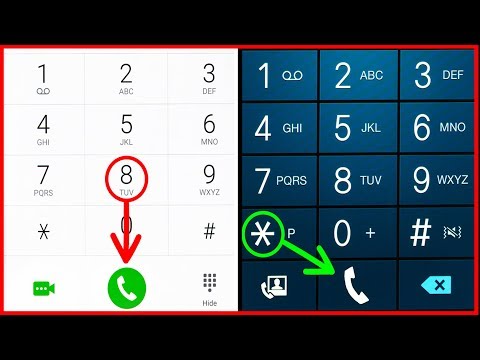
15 Amazing Phone Functions You Had No Idea Existed
15 secret phone codes that will give you access to the hidden functions of your smartphone. Did you know that you can hide your number in every outgoing call you make? Find out more great phone tricks in our video!
#phonetrciks #smartphonesecrets #hiddenfunctions
TIMESTAMPS
IMEI number 0:40
Number identification 1:23
Statistics and secret menu 1:50
No outgoing calls 2:28
Instant factory settings 2:58
Whole reinstallation 3:30
Better communication 3:58
Listen to yourself 4:30
Service center number 4:58
Quick turning off 5:20
Call waiting 5:51
Quick service menu 6:36
Signal information 6:59
Straight to voicemail 7:39
Hide your number in outgoing calls 8:13
SUMMARY — This simple code *#06# is available for both iPhone and Android users. By pressing it, you can see your International Mobile Equipment Identity number, or, as it shortly called, IMEI. — The code *#30# will help you turn your number identification on or off. So if you want to hide your identity and go incognito for some time, this is a way to go. It works the other way around also. By pressing *#30#, you can find out the number identification of the person, who's calling you if he or she didn't turn it off beforehand. — The combination *#*#4636#*#* has various purposes, depending on your device. If you have an Android, use this code to see the Wi-Fi signal as well as your battery and CPU usage statistics along with other information. — If you want to try in just press the following combination — *33*#. Voilà! Now you won't be bothered by any outgoing calls. Don't forget that you can turn this function off any time by pressing #33*pin#. — After using the combination *#*#7780#*#*, your phone will remove Google account settings as well as application data and settings. — The code *2767*3855# will not only remove all your phone files and settings but also reinstall your phone's firmware. — The combination *3370# is available only for iPhone users and turns on an EFR coding. It improves the quality of your communication, but, unfortunately, reduces battery life. — Press the combination *#*#8351#*#*, and you'll be able to listen to recordings of your own voice during the last 20 phone calls! — iPhone users can quickly find out the number of a service center for a current provider when in need, by simply pressing the combination *#5005*7672#. — Press *#*#7594#*#*, and your phone will turn off instantly without showing you this small menu. — If you're in this group of people, and you have an iPhone, there is a very important function that can make your life way easier. It's this combination — *43#. — If you're in this group of people, and you have an iPhone, there is a very important function that can make your life way easier. It's this combination — *43#. — Enter the Field Mode by tapping *3001#12345#*, then press and hold Power until the off slider appears. Then release Power and press Home. Now you see your signal in dBa. — IPhone users can turn on the call forwarding function so that all your incoming calls will be pushed right to voicemail. All you have to do is dial *#21#, and there you go. — This simple combination #31# “phone number” will allow you to hide your phone number in all outgoing calls! It's definitely worth a try.
Which one of these codes do you find the most useful? Tell us your opinions in the comment section below!
Subscribe to Bright Side : https://goo.gl/rQTJZz
————————————————————————————————————————————
Our Social Media:
Facebook: https://www.facebook.com/brightside/
Instagram: https://www.instagram.com/brightgram/
SMART Youtube: https://goo.gl/JTfP6L
5-Minute Crafts Youtube: https://www.goo.gl/8JVmuC
————————————————————————————————————————————
For more videos and articles visit:
http://www.brightside.me/
377837 30573

Can you regenerate a dead power tool battery?
I have seen this on youtube but didn't believe it. As I have two dead batteries I thought I would give it a go, nothing to loose! As it turned out, after the video the second one died again so both were still dead! Conclusion: It might work for some but not for me.
3177 1147

13 iPhone Settings You Should Change Now!
Those default iPhone settings are no good! Here is what to change.
More Top Lists ➤ https://www.youtube.com/playlist?list=PLFr3c472Vstw-sCvBrlRTelW3ULg1-w3n
Subscribe Here ➤ https://www.youtube.com/user/ThioJoe?sub_confirmation=1
iPhones, iPads, and other iOS devices all have a lot of settings that you might not have known about, because these settings are pretty hidden away. This video goes over which ones you should change, whether they are privacy settings to restrict Apple from collecting data about you, or just plain cool iOS features that aren't enabled by default for some reason.
~~~
⇨ http://Instagram.com/ThioJoe
⇨ http://Twitter.com/ThioJoe
⇨ http://Facebook.com/ThioJoeTV
▬▬▬▬▬▬▬▬▬▬▬▬▬▬▬▬▬▬▬▬▬▬▬▬▬▬
116837 7252

12 ILLUSIONS TO TEST YOUR BRAIN
Subscribe to our channel:https://goo.gl/CBr4Aj
Music:
Song: JJD — Adventure [NCS Release]
Music provided by NoCopyrightSounds.
Video: https://youtu.be/f2xGxd9xPYA
https://soundcloud.com/jjdofficial
86716 14346

Rush Hour in Different Countries Like You’ve Never Seen It
You are stuck in your car in what seems like an endless flow of other vehicles. You get stuck in traffic jams on your way to work or to the airport to pick up your friends. That crazy nerve-wracking time is called “rush hour, ” and you wish you could fly away to the other side of the world to escape it.
Do you want to see how the world looks during the busiest hours of the day? Some of the contrasts are truly fascinating!
TIMESTAMPS
Beijing, China 0:55
Dhaka, Bangladesh 2:17
Venice, Italy 3:32
Chhattisgarh, India 4:39
Tokyo, Japan 6:01
Siem Reap, Cambodia 7:10
London, Great Britain 8:24
Moscow, Russia 9:35
São Paulo, Brazil 10:55
Kampala, Uganda 12:16
Train ride in Bangladesh 13:10
Palermo, Italy 14:25
Subscribe to Bright Side : https://goo.gl/rQTJZz
————————————————————————————————————————————
Our Social Media:
Facebook: https://www.facebook.com/brightside/
Instagram: https://www.instagram.com/brightgram/
5-Minute Crafts Youtube: https://www.goo.gl/8JVmuC
————————————————————————————————————————————
For more videos and articles visit:
http://www.brightside.me/
18104 3187
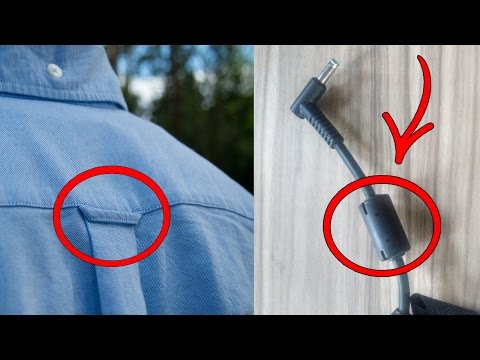
10 Things You Did Not Know What They Are
Click the link to subscribe: http://bit.ly/FactsVerse
Subscribe to our channel: http://bit.ly/FactsVerse
Our Social Media:
Facebook: https://www.facebook.com/FactsVerse
Twitter: https://twitter.com/FactsVerse
Instagram: https://instagram.com/factsverse/
For more videos and articles visit:
http://factsverse.com
Music: Kevin MacLeod
Narrated by : Darren Marlar
www.MarlarHouse.com
*If you click the above link, we may earn a small affiliate commission
140948 49667
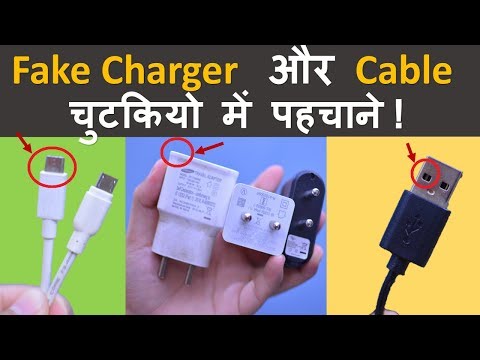
4 Amazing Tips to Identify Fake Smartphone Charger and USB Data Cables ?
How to identify fake or local Smartphone charger and USB Cables? Difference between fake and original smartphone charger? Local vs Original Data Cables Main Difference in hindi Check if a Samsung Charger or Cable Is Original a fake charger and usb cable might harm you smartphone battery life so you should be able to identify fake and real charger while buying so in this video i will give 4 amazing tips to identify fake or local mobile phone charger and cable in hindi
aaj kal electronics chizo ka duplicate yani ki copy market me aapko bahot mil jate hai chahe vo iphone ka charger ho, oppo vivo ya samsung ke phone ka charger ya usb cable ho aur iski marketing market me kafi tezi se chal rahi hai kayi baar aisa hota hai ki hamare mobile ka chargr kharab ho jata hai ya fir usb cable kharab ho jata to aise me hame charger kharidana hota hai ham ise online shoping website se ya fir offline electronic market ya mobile shop me jaake kharid sakte hai lekin ham dukandaar se original chiz mangte hai lekin kuch aise log hote hai jo hame original ke naam pe fake yani duplicate local charger aur usb cable de dete aur kehte ye original hai to aise me hum kaise pehchane ki jo charger hamare pass hai ya jo hamne kharida hai vo original hai ya local company ka kaise pehchane usb data cable original company ka hai ye fake hai puri jaankari jaaniye hindi aur urdu bhasa me
नकली मोबाइल फ़ोन के चार्जर और असली चार्जर की पहचान कैसे करे? कैसे पता करे की ऑनलाइन जो चार्जर या डेटा केबल लिया है वो असली है या नकली
#FakeCharger ##Smartphone #MobileCharger #Manojsaru #TechnologyGyan
——————- Support me By (its Free) —————————
LIKE | COMMENT | SHARE | SUBSCRIBE Kare aur Ghanti dabaye aise hi videos ke liye
My Second channel Subscribe Now
https://www.youtube.com/channel/UCwrgWB4EFXNYJv-K4R7tnjA
हमें फॉलो करना न भूले
Facebook : https://facebook.com/TechnologyGyan4U/
Twitter : https://twitter.com/sarumanoj
instagram : https://www.instagram.com/manojsaru/
visit website : https://catchhow.com
Equipment used :
Camera Used : http://amzn.to/2srDtC0
lens used : http://amzn.to/2scMRaM
Mic Used : http://amzn.to/2sdanEq
Laptop Used : http://amzn.to/2t4zr0p
Subscribe Our Channel For More Videos
https://www.youtube.com/c/TechnologyGyan
New Videos Check This
https://www.youtube.com/playlist?list=PL0W2eFwhS9h7MFAP3o_hlBcHY0YzkUuOc
internet tips & Tricks Videos
https://www.youtube.com/playlist?list=PL0W2eFwhS9h6951p1BS65NPWvXP0P76Sq
Computer Tips & Tricks
https://www.youtube.com/playlist?list=PL0W2eFwhS9h5FvaL4QecdYyRSF_rTbjIY
Android Mobile Tips & Tricks
https://www.youtube.com/playlist?list=PL0W2eFwhS9h6QpQtQw8WloMPDrgvvJC_L
Technology Gyan All Videos
https://www.youtube.com/playlist?list=PL0W2eFwhS9h53ltlzVyL7hRgHmhFLTGn-
—— Manoj Saru ——
46974 4129
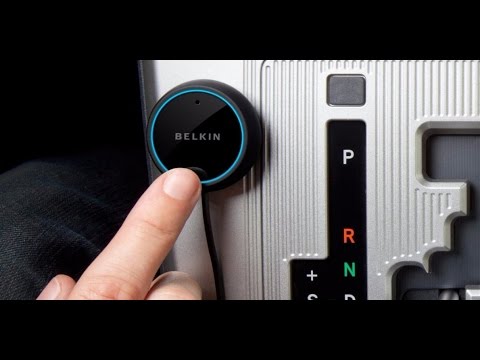
5 AMAZING CAR GADGETS ON AMAZON
In this video there is a number of five amazing and cool gadgets for your cars. Even better, all car gadgets in this clip is available on Amazon The prices mentioned in the video may change when you get to the actual amazon page. These are still som really cool gadgets, that won’t break the bank. All amazon gadgets are linked below, please enjoy!
Check out my store for the coolest gadgets: https://cool-gadgets.store/
— - — - — - — - — - — - — - — - — - — - — - — - — - — - — - — - — - — - — - — - — - — - —
0:12 — Pearl RearVision: http://amzn.to/2pib3ZV
1:14 — Belkin AirCast: http://amzn.to/2oH88pF
2:26 — DashStand: http://amzn.to/2pf3p00
3:41 — FOBO Tire: http://amzn.to/2qb2AEP
6:35 — GoSafe 535: http://amzn.to/2pi8I0S — - — - — - — - — - — - — - — - — - — - — - — - — - — - — - — - — - — - — - — - — - — - —
⇢ Subscribe to My channel ⇢ https://goo.gl/OewvwR
22752 5896

Pour Salt Over Your Money & Everyone Will Freak Out A Few Seconds Later!
3 Fun Arts & Crafts Projects With Salt That Your Kids Will Love | Here’s a nifty new upload from our friends at Cleverly! Follow them here: https://www.youtube.com/cleverly_diy
Whether it's in a practical salt shaker or the original container, you can pretty much find salt in every household. But instead of just cooking with it, you can use it for so many other DIY projects – from the fun to the practical to the genius!
Bookmark Article: https://www.cleverly.me/3-diy-salt-crafts
Thanks for watching and don't forget to subscribe for a first-hand look at all our best recipes and cooking hacks: https://www.youtube.com/scrumdiddlyumptious?sub_confirmation=1
******************************************************
1. DIY Salt Crystal Tree
You'll Need:
— paperboard — pencil — box cutter — red food coloring — potassium phosphate
Here's How:
1.1 Draw the outline of two trees on paperboard with a pencil. Draw a narrow rectangle down the middle of one of the tree trunks.
1.2 Use a box cutter to cut out the trees. Also cut out out the narrow rectangle you drew on one of the tree trunks.
1.3 Paint the tops of the trees with food coloring. Wait until the front dries before painting the back. Then assemble the 3D tree by sliding the cut tree over the uncut tree.
1.4 Place the tree in a petri dish or on a plate and pour the potassium phosphate over it.
1.5 Watch your tree blossom over the next 24 hours.
* * * * *
2. Clean Coins
You'll Need:
— 1 glass of vinegar — 1 medium bowl of salt
Here's How:
Fill a glass with vinegar and add the salt. Dip a dirty coin in the solution, rub both sides of the coin for a few seconds, and say hello to your shiny new penny!
* * * * *
3. DIY Lava Lamp
You'll Need:
— 1 glass of water — oil — 4 drops of food coloring — salt
Here's How:
3.1 Fill a glass about ¾ full with water and the last ¼ with oil.
3.2 Wait for the oil to settle on top and then add 4 drops of food coloring.
3.3 Pour salt into the glass and you'll have your very own homemade lava lamp!
* * * * *
The DIY salt crystal tree and DIY lava lamp are great crafts for kids, not to mention a whole lot of fun. And the nifty trick for cleaning your coins will come in quite handy the next time to need to sort your change. Once again, salt proves it's nothing if not practical!
You can find the recipe & instructions for the Rock Candy project featured in the bonus video here: https://youtu.be/5UvWjSMhG30
11053 3094

Only the Most Attentive 4% Will Pass This Test
Are you good at spotting details? Even if you’ve got no ambitions to surpass Sherlock Holmes, learning to pay attention to small details is no trifling matter. This skill can prove helpful in a variety of everyday situations.
Being able to notice something that not that many people would pay close attention to broadens your mind and overall improves your instincts and intuition.
Bright Side presents you with a quiz that’ll help evaluate your abilities to pay attention to the smallest things. Do you think you can pass all the tasks?
TIMESTAMPS
15 pencils 0:41
2 pictures 1:45
A bunch of pears 2:46
A beautiful parrot 3:44
A small fox 4:40
A fish 5:43
Peacocks 6:43
A beautiful landscape 7:43
Shiny small balls 8:46
A strange image 9:42
A cat 10:45
BONUS 11:48
BONUS
Try to guess, what's hidden in this picture. You have only 15 seconds!
You are exactly right! It's a chameleon. They are the masters of undercover, right?
How many of these pictures did you get right? Did you manage to spot the difference in that cat picture?
Subscribe to Bright Side : https://goo.gl/rQTJZz
————————————————————————————————————————————
Our Social Media:
Facebook: https://www.facebook.com/brightside/
Instagram: https://www.instagram.com/brightgram/
SMART Youtube: https://goo.gl/JTfP6L
5-Minute Crafts Youtube: https://www.goo.gl/8JVmuC
————————————————————————————————————————————
For more videos and articles visit:
http://www.brightside.me/
79756 19687
