All samsung android 6.0.1 google account bypass/remove (frp )
Май 16, 2016
All samsung android 6.0.1 google account bypass/remove (frp )
All new samsung v6.0 up all model support this file and this way.
thanks for watching video.
File link:http://www.gsmsolutionnepal.ml/2016/05/all-samsung-android-601-google-account.html
77 22
62,919 просмотров

By Pass Google Account For J7 / J5 6.0.1 and Rest FRP Marshmallow
link used :
fp.boxwares.com
The SIM required PIN lock enabled
For who didnt find " Enter Email and Password " just flash the phone with this firmware : http://bit.ly/J700H_601
********************************************
الموقع المستخدم في الشرح:
fp.boxwares.com
يلزم وجود سيم كارد مع تفعيل رمز الحماية PIN
من تواجهه مشكلة عدم وجود خيار " أدخل البريد الإلكتروني وكلمة المرور" يلزمه تفليش الجهاز بهذه الفلاشة : http://bit.ly/J700H_601
72 10

FRP reset Note 5 6.0.1
Tool reset and file sboot:
https://drive.google.com/file/d/0B0Hfhj9cfC5PRnZWTENORXNkMUk/view
Like and subscribe: MOBILE FIX!
How to setup Miracle_Box crack :
https://www.youtube.com/watch?v=vc7UMVQw8Aw
40 7
![[Final Frp Solution] Bypass Google Account Samsung S6, S7, EDGE, J7 2016 android 6.0.1](https://i.ytimg.com/vi/oft_ovuM0FY/hqdefault.jpg)
[Final Frp Solution] Bypass Google Account Samsung S6, S7, EDGE, J7 2016 android 6.0.1
Bypass Google Account Samsung A3, A5, A7, J1, J2, WITHOUT SIDESYNCE, WITHOUT OTG, this tutorial I will show you how to delete/remove factory reset protection FRP, free and easy, on all Samsung Galaxy (Android 5.1.1 and 6.0)
——
Here are the two commands:
at creg?\r\n
atd1234; \r\n instead of 1234, ——-
This method should work also on
Samsung A3, A5, A7, A9, J1, J2, J3, J5, J7, S5, note5, note7 (2016)
SM-G920F Global
SM-G920V Verizon
SM-G925P Sprint
SM-G925A At&t
SM-G925K Korea KT
SM-G925l LATAM, Singapore, India, Australia
SM-G9259 China
SM-G925R4 USA US Cellular
SM-G925W8 Canada
SM-G925FQ Turkey
SM-G925V Verizon
SM-G920FD Pakistan, UAE, Phillipines
SM-G9250 China (Hong Kong)
SM-G925F Global
SM-G925S Korea SKT
SM-G925T T-Mobile
SM-G920P Sprint
SM-G920K Korea KT
SM-G920l LATAM, Singapore, India, Australia
SM-G9209 China
SM-G920A
SM-G920W8 Canada
SM-G920R4 USA US Cellular
SM-G9208 China
SM-G930L Korea
SM-G930K Korea KT
SM-G9300 (Snapdragon 820) — SM-T817P, SM-G930T T-Mobile
SM-G930F Global
SM-G935W8 Canada
SM-G935FD Southeast Asia
SM-G935V (Snapdragon 820)
SM-G935R4 (Snapdragon 820)
SM-G935A At&t — (United States)
SM-G935S Korea SKT
SM-G935K Korea KT
SM-G935T T-Mobile
SM-G935L Korea
SM-G9350 (Snapdragon 820) China (Hong Kong)
SM-G930FD Southeast Asia
SM-G9308 China
SM-G930P (Snapdragon 820) Sprint — (United States)
SM-G930A
At&t — (United States)
SM-J120P, SM-T377P, SM-T807P, SM-J320P, SM-T237P, SM-N900P, SM-G530P, SM-G360P, SM-G900P, SM-G860P, SM-G920P, SM-G925P, SM-G928P, SM-N920P, SM-N910P, SM-N915P
note 5, note 7
[android marshmallow frp bypass]
DOWNLOAD https://goo.gl/JWP6gU
don't forget to
==SUBSCRIBE==LIKE==SHARE==
99 19

samsung j710f , j710fn android 6.0.1 google account bypass frp lock 2016 New solution 100% Tested
samsung j710f, j710fn android 6.0.1 google account bypass frp lock 2016 New solution 100% Tested, Bypass FRP Lock Samsung J7 2016 aka J710FN New solution, FRP Baypass, FRP Galaxy bypass, FRP LOCK, FRP samsung bypass, How to Remove/Bypass Google account Frp Lock Samsung J7 2016 aka J710FN, J710FN AND J710F BYPASS GOOGLE ACCOUNT SECRET AND NEW METHOD, J7 j710f 2016 frp google account bypass, How to remove previously Synced Gmail, Reset Frp J710f, Samsung J7 2016 aka J710FN Bypass FRP Lock, how to by pass google samsung j710f, how to bypass j510f j710f frp google account 2016, frp bypass apk download
41 26

Bypass Google Account Samsung S6, S7, EDGE, J7 (2016), A9, Note 5, Note 7
In this video tutorial I will show you how to delete/remove factory reset protection FRP, free and easy, on all Samsung Galaxy (Android 5.1.1 and 6.0). Use this method, if you get the message:"This device was reset. To continue, sign in with a Google Account that was previously synced on this device."... — - — This method works until "1August Android Security Patch"
Here are the two commands:
at creg?\r\n
atd1234; \r\n instead of 1234, you can put a local valid phone number or your own number and you must answer to that call
If you see "Error" instead of "Type Email and Password", then you must type on your phone this link: https://goo.gl/8F8sZ8 to download an older version of Google Account Manager and then install it from ES File Exporer/Downloads
If the link: https://goo.gl/8F8sZ8 not working then try this one:http://www.apkmirror.com/apk/google-inc/google-account-manager/google-account-manager-4-0-3-239410-release/google-account-manager-4-0-3-239410-android-apk-download/download/
Big Thanks to Kirt Granger user!!!
This method should work also on:
Samsung A3, A5, A7, A9, J1, J2, J3, J5, J7, S5, TAB, (2016)
Samsung Galaxy Note7 USA N930V (Verizon); N930A (AT&T); N930P (Sprint); N930T (T-Mobile), N930R4 (US Cellular); N930W8 (North America)
Samsung Galaxy Note7 N930 (USA); N930F (Europe); N930G (India)
Samsung Galaxy A9 (2016)
Samsung Galaxy J7 (2016) J710F, J710FN (EMEA); J710M (LATAM); J710H (South Africa, Pakistan, Vietnam)
Samsung Galaxy J2 (2016)
Samsung Galaxy S7 G930 (USA); G930F (Global); G930FD (Southeast Asia); G930A (AT&T, Cricket); G930P (Sprint, Boost, Virgin Mobile); G930V (Verizon); G930T (T-Mobile, Metro PCS); G930R (US Cellular)
Samsung Galaxy S7 edge G935 (USA); G935F (Global); G935FD (Southeast Asia); G935A (AT&T); G935P (Sprint); G935V (Verizon); G935T (T-Mobile); G935R (US Cellular)
Samsung Galaxy A7 (2016) A710F (Europe); A710M (Latin America); A710FD (Southeast Asia); A7100 (Hong Kong); A710Y (Taiwan)
Samsung Galaxy Note5 N920V (Verizon); N920P (Sprint); N920R (US Cellular); N920T (T-Mobile); N920A (AT&T); N920I (Australia, New Zealand, Singapore, Canada); N920G (India); N9208 (Hong Kong); N920C/N920CD (UAE, Africa); Samsung Galaxy S6 edge G928V (Verizon); G928P (Sprint); G928R (US Cellular); G928F (Europe); G928G (India); G928T (T-Mobile); G928A (AT&T); G928I (Australia, New Zealand, Singapore)
Samsung Galaxy S6 edge G925 G9250 (China, HK), G925A (AT&T), G925F (Global), G925FQ (Turkey), G925I (LATAM, Singapore, India, Australia), G925K (Korea), G925L, G925S (Korea), G925T (T-Mobile)
Samsung Galaxy S6 G9200 (Hong Kong), G9208 (China), G9208/SS (China), G9209 (China), G920A (AT&T), G920F (Global), G920FD (Pakistan, Philippines), G920I (LATAM, Singapore, India, Australia), G920S (Korea), G920T (T-Mobile)
WARNING!
You do this at your own risk! Make sure your phone battery is fully charged!
Better remove the SIM card and memory SD card from your phone before this operation!
If you reset or update your phone, all your data may be lost, so it's good to do a full backup before!
SUBSCRIBE
►Youtube:http://goo.gl/56l8B4
526 35

Bypass Samsung Account Activation Lock AT&T Galaxy S6 SM G920A Marshmallow 6.0.1
This video is a demonstration showing off some of the only known possibilities with an AT&T Samsung Galaxy S6 (SM-G920A) that has a very specific type of Factory Reset Protection Reactivation Lock (FRP Lock) that is running Android 6.0.1 Marshmallow. This type of lock is known as a Samsung Account Reactivation Lock, and while it may look similar to a Google Account Reactivation Lock they really have some major differences.
Steps to perform this TEMPORARY bypass: — Factory reset phone from recovery mode — Proceed through initial setup until you have the option to create a new Google Account — Choose to create a new Google Account and proceed through setup — When asked for a payment option make sure you choose PayPal — On the PayPal login prompt tap on "Forgot Username or Password", this will prompt for an internet browser — Make sure you choose Internet and NOT Chrome if you plan on following this video (not mandatory and in fact I suggest everyone to try other options, you may get further than I!) — Download a "Launcher", which is essentially just a secondary Home Screen. In the video I download Apex Launcher, but there are many others. Again, experiment and let me know if you find something :) — After installing the new launcher start doing some testing!
Please Subscribe and like the videos and definitely stay tuned for more of the best from GhostlyHaks!
15 1

July 2016 - Samsung Galaxy / S7 Edge FRP Bypass Google Lock Bypass (Clear Data Method)
This video shows a FRP or Google Lock bypass I discovered for Google Locked or FRP locked Samsung Devices (S6, S7, S7 Edge, Note 4, Note 5, etc) with Android Marshmallow 6.0.1 and the June 1, 2016 security patch.
It takes all of around 2 minutes to do, and restores your device without the FRP or Google lock keeping you from using your device or phone.
Please use this for good. Tell us which phone, carrier, and if this bypass worked for you in the comments.
278 29

samsung frp lock remove 2016 100% tested
http://www.gsmfuturebd.com/samsung-frp-lock/
samsung j7 google lock bypass
samsung j5 google lock bypass
samsung j2 google lock bypass
samsung j3 google lock bypass
samsung j4 google lock bypass
samsung j1 google lock bypass
samsung j6 google lock bypass
samsung j8 google lock bypass
samsung j10 google lock bypass
samsung g313 google lock bypass
samsung g318 google lock bypass
samsung g360 google lock bypass
samsung g361 google lock bypass
samsung g361h google lock bypass
samsung g530h google lock bypass
samsung g531h google lock bypass
samsung g531f google lock bypass
samsung e5 google lock bypass
samsung e7 google lock bypass
samsung e6 google lock bypass
samsung e8 google lock bypass
samsung s6 google lock bypass
samsung s7 google lock bypass
sasmung s8 google lock bypass
samsung s5 google lock bypass
samsung a8 google lock bypass
samsung a7 google lock bypass
samsung a6 google lock bypass
samsung a5 google lock bypass
samsung a2 google lock bypass
samsung a3 google lock bypass
samsung a2 google lock bypass
samsung a1 google lock bypass
samsung g355h google lock bypass
samsung g355 google lock bypass
samsung g355d google lock bypass
samsung g355hz google lock bypass
samsung g318 v plus google lock bypass
samsung note 4 google lock bypass
samsung note 5 google lock bypass
samsung note 6 google lock bypass
samsung note 7 google lock bypass
samsung note 8.0 google lock bypass
samsung sm-j111f frp lock bypass 100% tested
others model 1000% tested
all samsung frp lock file download
320 134
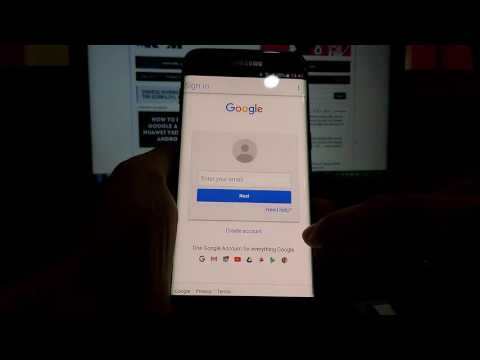
August 2016 - Bypass google account Samsung S7, S7 Edge, S6, S6 Edge Note 5 with Headset Bluetooth
How to bypass google account by best method 2016
Bypass google account Samsung S7, S7 edge android 6.0.1 (Headset bluetooth method)
Baseband version: G935FXXU1APF1
Android security patch level: July 1, 2016 — - — See more: http://vnrom.net/thu-thuat-hay/bypass/
FOLLOW US
►Youtube: https://www.youtube.com/c/vnROMChannel
►Facebook: https://www.facebook.com/vnrom.net
►Blog: http://vnrom.net
204 14
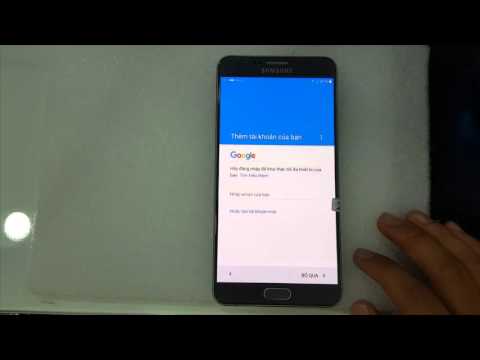
Bypass google account N920C 6.0.1 marshmallow
2 11
