Advanced Titler & Feathering a Track Matte as a Mask using Adobe Premiere Pro CS5.5
Март 9, 2012
http://library.creativecow.net/barrie_jon/Premiere-Pro-Title-Feathering This video tutorial presented by Jon Barrie details some of the uncommon knowledge about the Titler Tools and how to simulate a feathered mask using a Track Matter technique using Adobe Premiere Pro CS 5.5.1.
264 31
90,630 просмотров
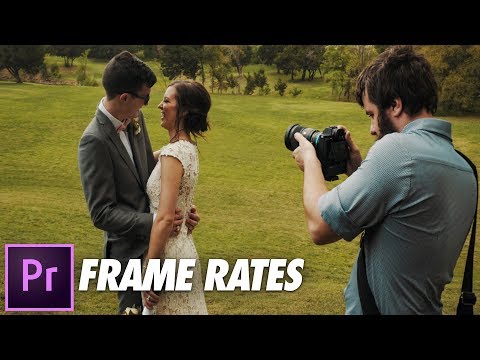
Frame Rates EXPLAINED: How To Film & Edit Mixed Frame Rate Video In Premiere Pro
How do I choose to shoot at a certain frame rate? And how do I edit mixed frame rate footage in Premiere? Here is EVERYTHING you need to know about frame rates!
📷 Filmmaking gear I use: https://kit.com/whoismatt
Don't have Premiere Pro? Download a free trial: http://bit.ly/premierepro_trial
Mixed Resolutions Editing Tutorial: https://youtu.be/WvqTdYO0ahc
How To Export 4K, HD, & Instagram Videos Using Premiere Pro: https://www.youtube.com/playlist?list=PLYJPJJTsWmZ24pa4uOHom6XX2rBSYUF7b
🎬 Join my wedding film editing course: https://weddingfilmframework.com
🎼Need help finding music for your wedding films? Subscribe to Matt's Music List: https://mattsmusiclist.com
❗ Favorite Wedding Filmmaking Gear: https://kit.com/whoismatt
INSANE lowlight main camera on Amazon: https://amzn.to/2WxeHfw
My favorite wide angle lens on Amazon: https://amzn.to/2THNB3N
The lens that is on my camera 80% of the time on Amazon: https://amzn.to/2HZr8g7
Killer ND filter/adapter for these lenses on Amazon: https://amzn.to/2Wys5jO
Best drone ever on Amazon: https://amzn.to/2V2XSch
Filters for the best drone ever on Amazon: https://amzn.to/2YB44uf
BEEFY electronic gimbal on Amazon: https://amzn.to/2HMTNGc
Fantastic video monopod on Amazon: https://amzn.to/2TKTdKu
Ridiculously tiny audio recorder and mic on Amazon: https://amzn.to/2I0gQMM
Prism for fancy in-camera effects on Amazon: https://amzn.to/2HMI5v0
FAST video editing laptop on Amazon: https://amzn.to/2I0bSQn
Indestructible camera case on Amazon: https://amzn.to/2V48Zl9
Light & sturdy travel tripod on Amazon: https://amzn.to/2HNDw3L
Portable LED Lighting Kit on Amazon: https://amzn.to/2WvnEWT
🎥Want to learn to film weddings? I'm now offering one-on-one filmmaker consulting! Check it out at http://whoismatt.com/consulting
😃My Facebook: http://www.facebook.com/whoismattcom
😉My Instagram: http://www.instagram.com/whoismatt
👰My Wedding Film Company Facebook: http://www.facebook.com/filmstrong
Signup for notifications about new videos and news from me here: http://go.whoismatt.com/
Music licensing sites I recommend:
🎧 Sound Stripe — http://bit.ly/sound_stripe (use the coupon code "WHOISMATT" for 10% off a yearly or monthly subscription!)
🎷 ART LIST — http://geni.us/artlistmusic (free extra 2-months when you subscribe using this link!)
🎵 Musicbed — http://geni.us/musicbed (get a 30-day free trial!)
SEND STUFF TO:
Matt Johnson
5401 South FM 1626 Suite 170 #243
Kyle, TX 78640
US
I’m required to state that I'm a part of affiliate programs for Amazon, B&H, SoundStripe, ArtList, and Adobe — AKA — I make a bit of $$ when you click on those links in my video descriptions. It costs you nothing, and helps me grow my beard. :)
16523 190

Creating Subclips in Premiere Pro CC
Learn how to stay organized with subclips in Premiere Pro CC. Subclips are shorter clips based on longer originals and can help you stay organized when your media has long sections. Learn more at http://www.peachpit.com/store/adobe-premiere-pro-cc-learn-by-video-9780133476903
150 2

Premiere Pro CS6 Techniques: 97 Track Matte Key
http://library.creativecow.net/devis_andrew/Premiere-Pro-CS6-Basics_97 In this tutorial, Andrew Devis shows how to use the Track Matte Key effect to pixel out a face to keep a character anonymous. Andrew also shows how to use the circle effect with fast blur to create a soft matte to use with the Track Matte Key effect.
187 15

How to Make Someone Color and the Rest Black & White in Adobe Premiere Pro.
The Best Royalty Free Music for Your Video Production
http://ezmediart.com/category/audio.html
1153 15

Premiere Pro CS6 Techniques: 106 Multi-Camera Work-flow
http://library.creativecow.net/devis_andrew/Premiere-Pro-CS6-Basics_106 In this tutorial, Andrew Devis goes through the new and improved multi-camera work-flow in Premiere Pro CS6, which includes the option to use as many cameras as your system can cope with! Andrew shows how to use three clips in this tutorial, how to set them up with a synchronizing point and then how to trim footage back into the multi-camera sequence if the synchronizing points weren't in a good place. He then shows how to c
165 1

How to blur and track multiple faces on video footage in Adobe Premiere Pro
The Best Royalty Free Music for Your Video Production
http://ezmediart.com/category/audio.html
272 29

How to create a gradient wipe effect only in Adobe Premiere Pro
The Best Royalty Free Music for Your Video Production
http://ezmediart.com/category/audio.html
308 11

Using the Track Matte Effect in Premiere Pro
http://www.BizVidCommunications.com
Welcome to another video tutorial produced by San Diego video production company, BizVid Communications. In this video I am going to show you how to put video into text to give your titles more visual interest. Here is an example of what I am talking about. As you can see, the text is much more visually interesting with this video element added to it. So let's get started. In the project, I have already created the bins that will keep my assets organized. Okay, next I'll create the title by using the shortcut, "control T." This brings up the "new title" screen which opens in the default size of the project....1280 x 720. I'll name this title, "Water" and click OK. This launches the title window and I'm set to type the word, "Water." I have found that this effect works better if the letters are all caps and bold font. So, let me highlight the font, and change it to a font called "Aaron." I'll also increase the font size by clicking and dragging the font size percentage, so that it is bigger. Now to center the title on the page using the "vertical center" and the "horizontal center." Done and save. Now I'm ready to build the effect. First, I'll drag the live action video clip that I want to appear inside the text onto the timeline placing it on video track 1. Next, I'll drag the title and place it over the clip on video track 2. Okay, I'm almost there. Next, I'll go to the "effects" pallet and type in the words, "track matt" so that I can get to the effect quickly without having to search through everything the Premiere has to offer. There it is. Next, I'll click and drag the effect onto the clip on video track 1. Nothing happens until I tell the effect what I want it to do. So, go to the "Effect Controls" panel, find the "Track Matt Key" click the drop down and select "video 2" telling the effect to apply itself to whatever's on video track 2. Okay, I have my video text sequence which I'll keep as an isolated sequence that can be used over any background. To put it over the gradient background, I will create another sequence. I go to "new" then select "Sequence." I'll title this "composite." As you can see, there are now two sequences. The rest is simple. Working on the "composite" sequence, click and drag the gradient graphic into the timeline and place it on video 1. To learn how I did this background in the Premiere titler, visit our tutorial call Creating a Gradient Background in Premiere Pro. Next, click and drag the "title" sequence onto the timeline and place it on video 2. And there you have it. Very simple and yet, visually effective. At this stage you can do more stuff to the look....adding a drop shadow for example. We hope you've enjoyed this video tutorial and that what you've learned will help make your videos even more appealing. Be sure to visit the Bizvid Communications blog and subscribe to the BizVid communications channel on YouTube. See you next time.
229 14

Premiere Pro CS6 Techniques: 46 The Pen Tool
http://library.creativecow.net/devis_andrew/Premiere-Pro-CS6-Basics_46 In this tutorial, Andrew Devis shows how to animate in the timeline with the pen tool. Andrew shows how to select different fixed effects in the timeline and shows how they can be animated as well as discussing the potential problems of using this method.
167 14

Creating Titles - Adobe Premiere Pro CS5 Video Tutorial
In this quick Adobe Premiere Pro CS5 video tutorial, I'll show you how to create and edit titles.
141 7
