Using ADP-054 on GQ-4X programmer for M27C2048 and M27C160 ( 27C2048 27C160 ) mcumall
Июль 1, 2010
This is an example of how to use ADP-054 on GQ-4X programmer. The GQ-3X will be similar. The chip used here are M27C2048 DIP40 chip and M27C160 DIP42 chip. The video shows how to install an adapter on programmer and chip on an adapter. It also shows how to avoid a poor pin contact between programmer and adapter as well as between chip and adapter.
6 1
4,882 просмотров
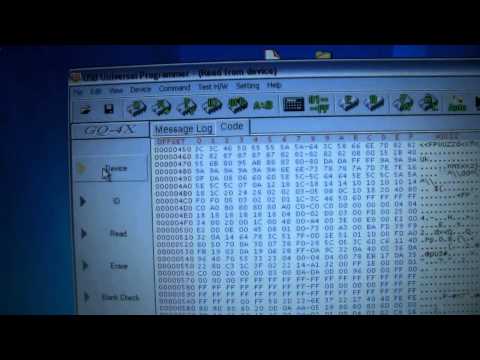
How to Read, Erase, & Write EProm EEProm Chips Electronic Fuel injection DIY Tuning GQ-4X Programmer
How to use the GQ-4X Prom Programmer when reading writing erasing eproms and eeproms.
444 26
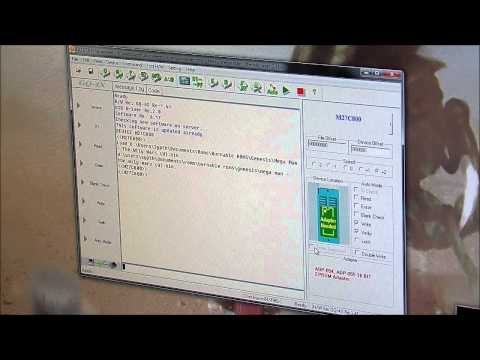
How to Write/Read Eproms with a Willem GQ-4X USB Eprom Programmer Mcumall
Just a little tutorial I threw together to give people a little help if their making the jump into programming their own Eproms. The programmer can be found on eBay or mcumall's website, same as the 16-bit adapter. The eraser itself can also be found on eBay, simply by looking up "Eprom eraser." I wouldn't spend more than $15.
216 9
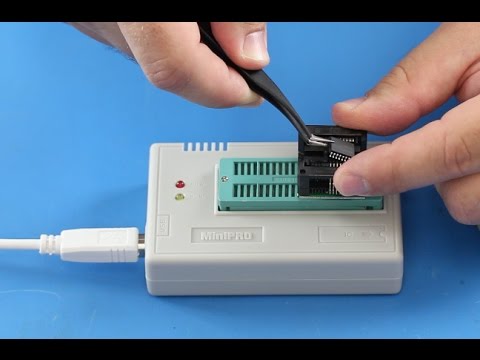
MiniPRO TL866CS USB Universal Flash EEPROM Programmer
How to use EEPROM Flash Programmer
CLICK HERE TO PURCHASE: http://www.shopjimmy.com/minipro-reg-tl866cs-usb-universal-flash-eeprom-programmer.htm
AVR series, single-chip, high speed programming
PIC series 8-bit micro controller programming
High-performance BIOS programme
Serial 24 / 25 / 35 / 45 / 93 series programming
Supports WIN2000 / WINXP / WIN2003 / WIN2008 / VISTA / Windows7
This video is designed to be a guide. Please note that other complications may exist that aren't addressed in this guide. While we always strive to provide accurate and detailed information, we can't guarantee that it will fix your TVs issues.
ShopJimmy is not responsible for any harm that you may cause to yourself or damage to your TV, during the repair process.
Try all repairs and troubleshooting at your own risk. Be sure to take all of the proper safety precautions.
In this video we will show how to use the minipro TL866CS eeprom programmer.
Here we have the box for the eeprom programmer and all of its contents along with two adapters.
In the box, you will receive a mini cd, with programming software, a USB cable to connect the programmer to your computer, nine blank eeproms, the programmer, and two adapters.
This is how to connect the USB cable to the programmer.
The other end here, connect to the USB port on your computer.
Start by flipping up the lever, then place your adapter into the slots, on the top of the programmer.
Be sure to align pin 1 as shown in the diagram on the programmer.
Once the adapter is in place push the lever down to securely lock it.
Push down on the top of the adapter to open the pin terminals.
Correctly align pin one on the eeprom according to the diagram on the programmer. Once the eeprom is aligned, use the tweezers to push down on the top of the eeprom to hold it in place, and then release the top of the adapter to create the best connection.
Open the programming software.
Choose the device to program to.
Load the file to be programmed.
Click on the programming button.
Click Program.
Programming should begin immediately.
If you receive this error, go back and reseat the eeprom in the adapter and then try again. If you receive the error 5 times, it means there could be something wrong with the actual eeprom, and you should try a different eeprom.
The yellow light on the programmer, will light up when programming.
Programming time can vary depending on the file size.
You may also receive an error halfway through the programming. At that point, that means there is something wrong with the chip and you should try a different eeprom.
Next, we will show how to read data from the eeprom, and save it to burn to a new chip.
If the chip is damaged or corrupt, you will not be able to read the original data.
Select the device you are reading from.
Click the Read from Chip button.
Click Read.
After the read is successful, click Cancel.
Click Save.
Choose a location to save the data.
Click OK, after a successful save.
TV Repair Made Easy™
© 2016 ShopJimmy.com, LLC.
870 82

MiniPro TL866 and GQ-4X Adapter Sharing
This was a supposed to be a quick video showing that the adapters available from China for the MiniPro TL866A can work on other 40 pin programmers like the GQ-4X.
Yes the adapters can be used but I came across an unexpected problem.
The chips used were a MX29LV320AT and a MX29LV320CB TSOP48 packages
Both programmers have these IC's within their accepted device list.
But the MiniPro refused to read the CB version.
I was unable to erase or write to either IC.
The adapters and programmer can be bought from this ebay seller.
http://myworld.ebay.co.uk/sunwenjun?_trksid=p2047675.l2559
Many forum members have bought from this ebay seller and I receive no payment or discount from the seller. I recommend him purely on the way he has dealt with all sales and queries so far.
See my other videos for un-boxing and software review of the MiniPro TL866.
Updated........
IC data sheets are at the link below.
The devices are indeed lockable.
http://pdf1.alldatasheet.com/datasheet-pdf/view/143119/MCNIX/MX29LV320CBTC-70.html
43 2

GQ EMF-380 V2, EMF-390, EMF-360 V2 EMF ELF RF meter RF Spectrum Analyzer Cell tower smart meter
This video shows some of the application of EMF-380 V2, EMF-390, EMF-360 V2 EMF meter from GQ Electronics.
See more details from :
http://www.gqelectronicsllc.com
38 9

How To Use A GQ-4X Or GQ-3X USB Programmer (crash course non scripted)
I appreciate all the questions and comments about how to use some of this stuff. I just made this video quickly to help out anyone who was thinking about using this machine and it is a little bit of a rough video but as long as you can get the gist of it that is great.
when I was looking for the TI eprom I skipped right over it in the box when I was scrolling through the numbers, I am aware of that but even if the number was or wasnt there you can generally use the generic button and as long as the part number is correct it should still be able to show you if the eprom is clear or not as I show with the second exact same model eprom that I put in the slot :)
Once again, this isnt a perfect comprehensive video on all the aspects of eprom programming nor does it show the other features you can do with this machine. I just wanted to illustrate how the reading and writing features work and the rest can be experimented with if you buy one for yourself and feel like checking the other functions out :)
I am aware that I will probably receive comments like `there are more features`, `thats not what I do`, `there are easier ways`, `some of the things said are wrong` ect but please keep in mind that this was done on a whim in order to shed a little light on how these units work for those who have never seen or used one before.
Take it easy guys and hope this video can help out someone who is looking to get one or wanting to try to repair their own boards/chips.
99 7

Dataman-48pro2c vs TNM5000 programmer
In this video I compare between both programmers. Both are really good programmers although the dataman is a lot more expensive you do get amazing tech support. I'm assuming with tnm5000 there will be no support unless you speak Chinese
30 4

MiniPro TL866 EEPROM Programmer Software
The MiniPro TL866 EEPROM programmer software in use.
Programming a W25X32 IC.
V5.91 Programmer software is here; http://rapidshare.com/files/196977709/minipro_setup.rar
User manual is here; http://www.mediafire.com/?ufx1kkk4jtyjove
The software link above will be updated as and when new versions are released.
Updated 5-4-13
283 48
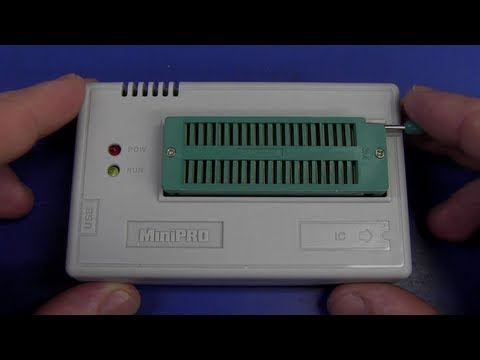
EEVblog #411 - MiniPro TL866 Universal Programmer Review
Is a sub $50 universal programmer from ebay any good?
Dave checks out the MiniPro TL866 programmer:
http://autoelectric.cn/MiniPro/
Chip support list: http://www.autoelectric.cn/minipro/MiniProSupportList.txt
Forum Topic: http://www.eevblog.com/forum/blog/eevblog-411-minipro-tl866-universal-programmer-review/
EEVblog Main Web Site:
http://www.eevblog.com
EEVblog Amazon Store:
http://astore.amazon.com/eevblogstore-20
Donations:
http://www.eevblog.com/donations/
Projects:
http://www.eevblog.com/projects/
Electronics Info Wiki:
http://www.eevblog.com/wiki/
1824 74
