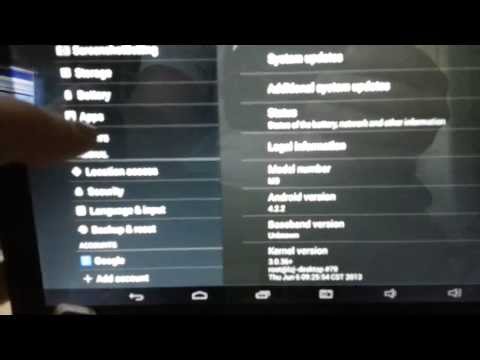
pipo m9 fw upgrade attempt
Август 8, 2013
My pipo m9 3g fw upgrade attempt to help with troubleshooting
8 0
8,006 просмотров

Инструкция по прошивке планшетов на базе процессора Rockchip
Самая подробная инструкция по прошивке планшетов на примере прошивки Pipo m6 pro.
Ссылка на сайт с прошивками: http://www.freaktab.com/
RockChip Tools 2: https://yadi.sk/d/zWa_MHEaemxTp
Наш сайт: http://tablets.spb.ru
Наша группа вконтакте: https://vk.com/tablets4spb
136 10

PIPO Tablet Firmware Upgrading Tutorial - Banggood.com
We have clearance check it: https://ban.ggood.vip/ajyp
【Flash Deal- Get in fast!】:https://ban.ggood.vip/8cfl
【PIPO S1s Dual】: https://ban.ggood.vip/c4qs
【Check More Toys And Robot】: https://ban.ggood.vip/8gwn
【Check more Tools and Electronics】: https://ban.ggood.vip/8gwo
【Shop With Your Points】: https://ban.ggood.vip/8cfg
【Down Banggood app】: https://ban.ggood.vip/8cfc
==============================================================================
Description — When you need to upgrade your PIPO tablet, you won't want to miss this video.the video show you how to upgrade your PIPO tablet from the beginning, it include almost every upgrade procedure details.you can use this video as reference to upgrade the tablet.from now on, the upgrade is not a complicate technical stuff anymore.
==============================================================================
Banggood- the best bang for your buck!
Subscribe for all our latest 3C product, RC quads, helis and boats, household
and LED products, Exclusive coupon and giveaways. We've got what you're looking for.
☞European warehouse: https://ban.ggood.vip/8cfq
☞USA Warehouse: https://ban.ggood.vip/8cft
19 6

TABLETA PHILIPS - VALORES DE FABRICA
VALORES DE FABRICA U ORIGEN PARA BORRADO DE CONTRASEÑA Y DATOS DE USUARIO EN UNA TABLETA PHILIPS (PI3100)
843 71

PIPO M9 New 4.2.2 Rom Version 2
This is a brief showing of the new rom for PIPO M9. This is the new English version of 4.2.2. Has the new air display built in to it. Wifi and blue tooth drivers have been upgraded. Smooth and no lag with this rom. If you need to find out where and how to upgrade this rom please visit my forum http://vitha.forumotion.com/f31-pipo-m9. The process is the same as before to flash the new firmware. However rooting is a different process and I will show you on another video on how to do this.
11 0

Upgrading From Windows 1.0 to Windows 8 On Actual Hardware
If you're watching this video, you've probably seen the other videos that prove it is possible to upgrade from Windows 1.0 all the way to Windows 8. However, those videos use VMware to perform the upgrades on a virtual machine (a guest operating system running within a host operating system). This video proves that it is possible to upgrade from Windows 1.0 to Windows 8 on actual hardware, without the use of a virtual machine. The computer I'm using is an Asus EEE PC 1005HA, which is a netbook. The hardware is not exactly the same as it was when I received the computer, as I have replaced the screen, the RAM, and the hard drive. Here is the upgrade path I followed:
Windows 1.01
Windows 2.03
Windows 3.0
Windows 3.1
Windows 95
Windows 98
Windows Me
Windows XP
Windows Vista
Windows 7
Windows 8.1 Preview
In Windows 2.03, you can see I deleted some files. That is because for some reason, those files prevent Windows 3.0 and Windows 3.1 from being installed. In Windows 3.1, I had to rename the WIN.COM file in order to install Windows 95B. I installed 95B as opposed to regular 95, because 95B supports FAT32 file systems, while regular 95 does not. If I had installed regular 95, I would have had to use a FAT file system, for which the maximum size is 2 gigabytes. I didn't want to have to deal with converting the drive to FAT32 and extending it, so I stuck with FAT32 from the beginning. In Windows XP, I had to convert the drive to NTFS in order to install Windows Vista. I also changed the RAM from a 256 megabyte chip to a 2 gigabyte chip. This was necessary because the older versions of Windows such as 95, 98, and Me have a limit to how much RAM they can take, while newer versions of Windows require more RAM.
Anyway, even though the video is sped up 4X, it's still quite long. Sorry about the poor video quality — I don't have a very good camera. And there's no audio (I decided that there's no music I can put on that everyone would like, and if anyone is actually going to even watch this entire video, they can just put on their own music). So if you're going to watch the whole thing, I suggest you make some popcorn, put on your favorite music, sit back, relax, and enjoy the video!
14234 487

Quick tip: How to replace the battery in your chinese tablet (Eken A90)
Hi everyone!
In this video I'm going to tell you how to replace your chinese tablet's battery to really improve it's battery life.
LINKS:
Battery that I've bought: http://www.aliexpress.com/item/3-7V-8000mAH-Li-ion-Polymer-lithiumion-battery-for-9-7-10-1-inch-tablet-PC/727554644.html
Some info on battery replacement, using protection boards and connecting 2 batteries: http://www.slatedroid.com/topic/34016-eken-a90-from-5000-to-11600mah-battery-upgrade/
Music: Phoniandflore — Dubsteady: http://freemusicarchive.org/music/Phoniandflore/Dubsteady/
786 52
PIPO M9 4.2.2 20130608_en_No3G#79 rooted/bloat
This Rom is based off the stock Pipo M9 English version 2 no 3G firmware Build date 06/08/2013. The stock rom has not been officially released by PIPO. This rom has been rooted, tweaks to the build.prop, Incl. to enable option to add users. multi users feature You will flash it like any other img. Check out this rom at http://vitha.forumotion.com/ direct link here http://vitha.forumotion.com/t131-m9-20130608_en_no3g79-rooted-bloat This rom seems to be very stable. More so then 5/29 release and as good as the 5/16 release.
2 2

Installing drivers for rk3188 or rk3066
I got a lot of people asking to know how to install the drivers for this so they can flash for the PIPO M9. This works for both rock chip 3188 and 3066. check out my forum for other roms and info. http://vitha.forumotion.com/ I have run in to a issues where I have had one laptop running windows 7 64bit ult would not detect at all, I also had a no detect on a windows xp SP3 64bit, both were older machines 4 or more years old and both were dells. I have no clue at all why these 2 desktops would not do it out of the 10 I tried it on.
15 16


12 Tipps & Tricks: HUAWEI Ascend Mate 7 | AppDated
Wir zeigen euch 12 Tipps & Tricks mit dem HUAWEI Ascend Mate 7. Dabei geht es um Features, die auf den ersten Blick nicht ersichtlich sind und euch das Arbeiten mit dem Ascend Mate 7 erheblich erleichtern.
Unter anderem werfen wir einen Blick auf das Multitasking, die Einhandbedienung und den Handschuhmodus.
Viel Spass!
P.S. Abonnieren nicht vergessen: http://goo.gl/JIL5q3
Kauflink: http://goo.gl/0LfPpD (empfohlen)
———————————————————————————————
FACEBOOK
https://www.facebook.com/appdated
TWITTER
https://twitter.com/AppDated_de
GOOGLE PLUS
https://plus.google.com/ AppDated/
INSTAGRAM
http://instagram.com/appdated
468 45
